
The no-code automation engine
built for engineering teams.
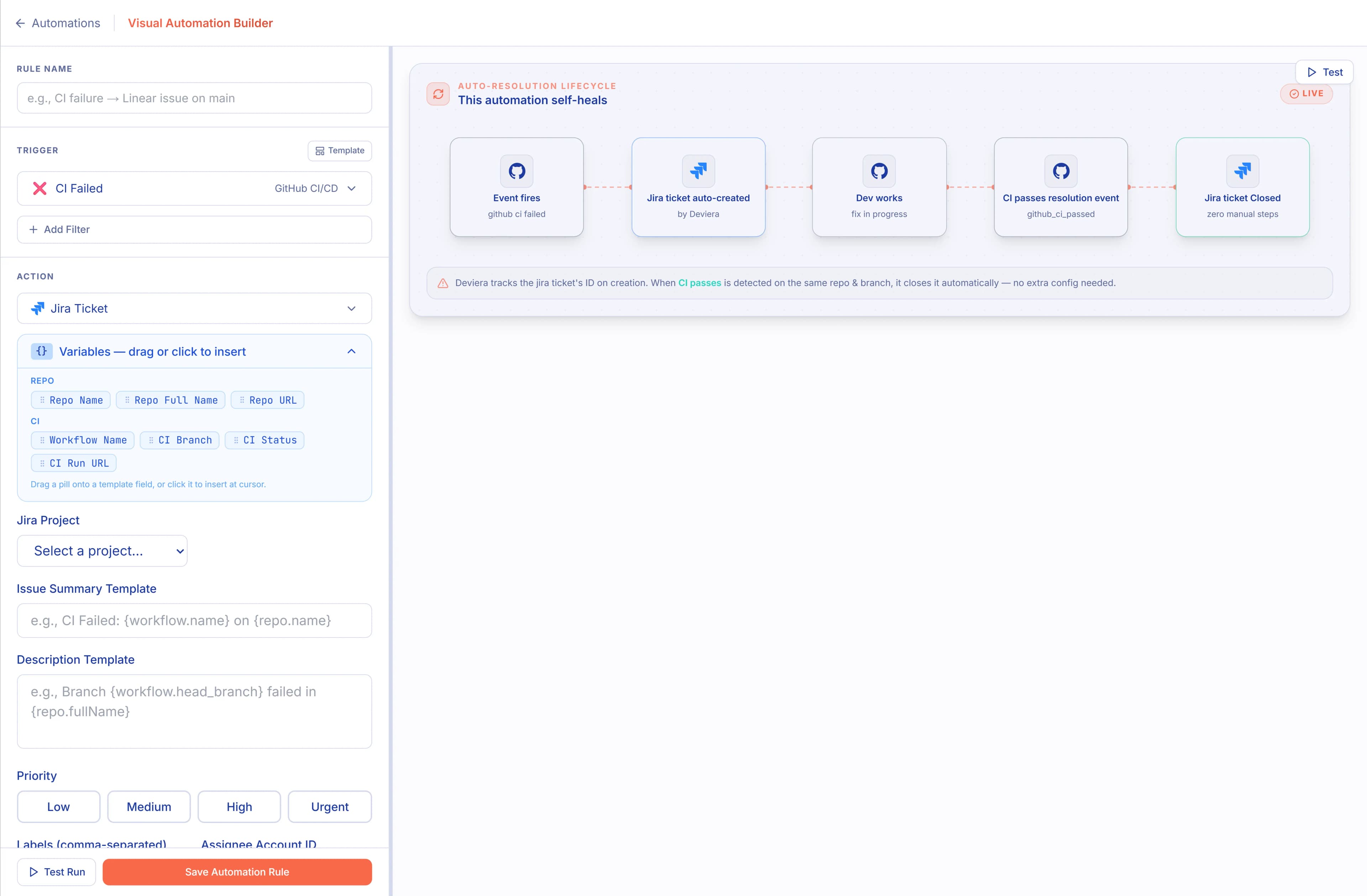
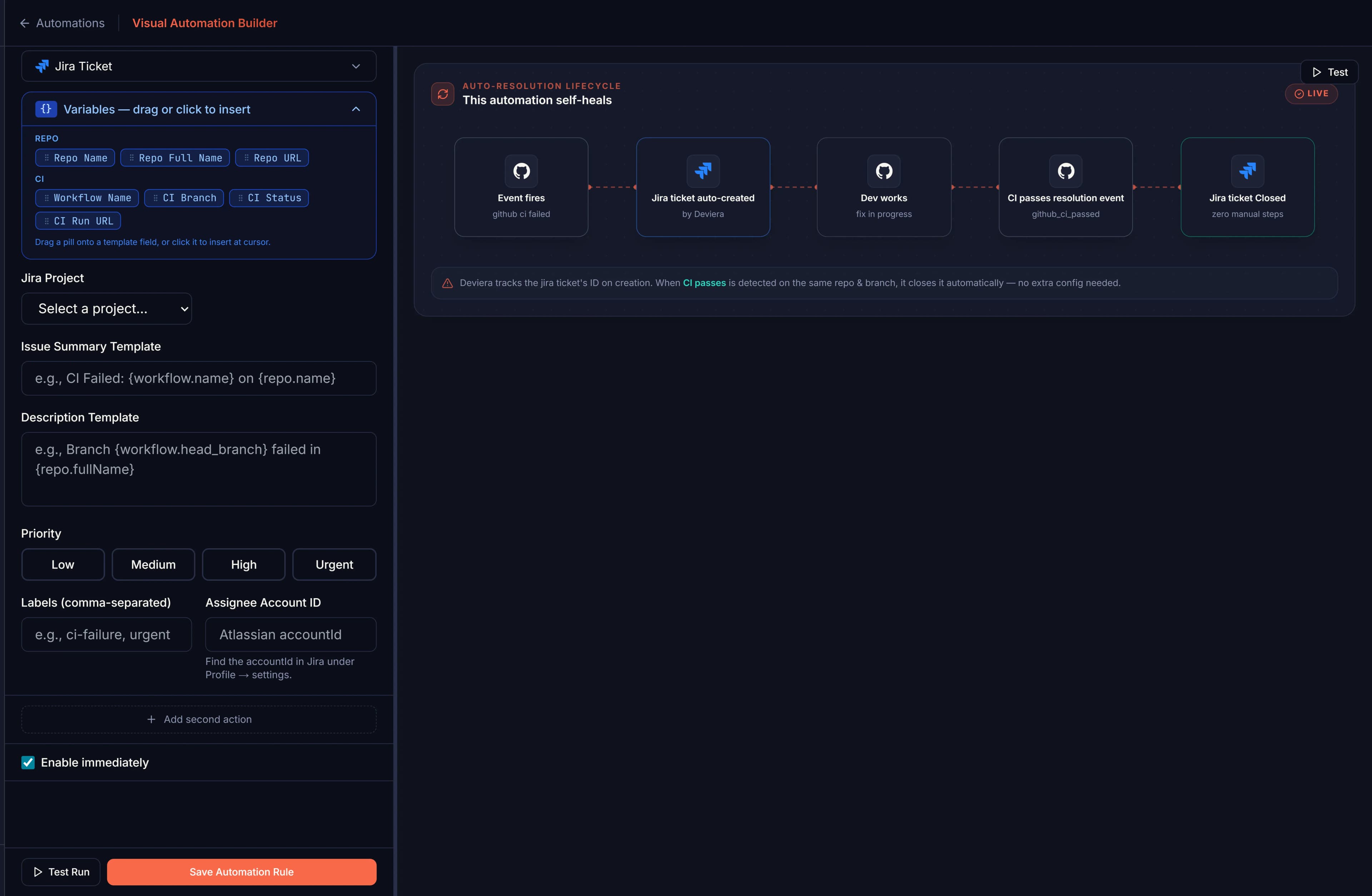
32 trigger types. 24 action types. 107 ready-to-run templates. Build trigger → condition → action pipelines in minutes — with an optional second action so one rule can do two things at once. Deviera watches your GitHub and GitLab repos around the clock and fires your automations the moment a pattern is detected — no code, no YAML, no manual triage.
14-day free trial · No credit card required
How it works
Four steps, set up once, runs forever.
Pick a trigger
32 trigger types across GitHub, GitLab, and Vercel — CI failures, stale PRs, deployment events, push patterns, issue labels, MR reviews, and more.
Add conditions
Scope by repo, branch, label, author, or time threshold. Avoid noise by being precise about when to fire.
Set the action
Create a Linear, Jira, ClickUp, GitLab, or GitHub issue, post a PR or MR comment, send a Slack message, or assign a user. Add a second action to do two things at once.
It runs automatically
Deviera watches your repos and fires the automation instantly — with cooldown, deduplication, and auto-resolution built in.
32 trigger types
Every signal that matters across GitHub, GitLab, and Vercel.
GitHub
- CI failed
- CI passed
- CI flaky detected
- PR opened
- PR closed / merged
- PR stale
- Issue opened
- Issue labeled
- Issue closed
- Push
- Code debt pattern (TODO/FIXME/HACK)
GitLab
- Pipeline failed
- Pipeline passed
- MR opened
- MR stale
- Push to main
Vercel
- Deployment created
- Deployment ready
- Deployment failed
24 action types
Create issues, post comments, notify your team, assign users — or combine two actions in one rule.
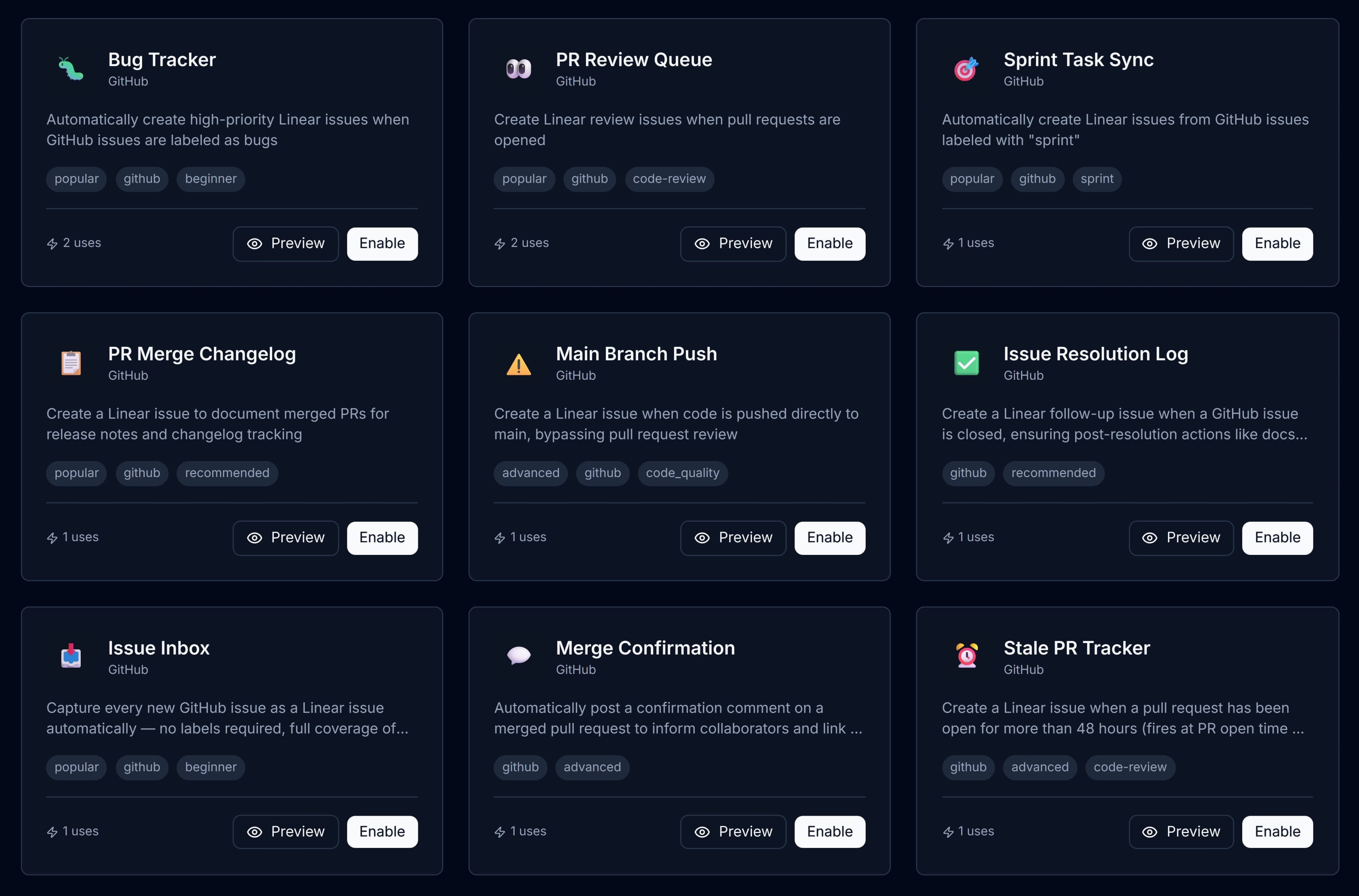
107 prebuilt templates
Enable in one click, customise as needed.
The templates page shows a "For You" tab — filtered to your connected integrations automatically.
/screenshots/TODO-automations-list.webp
Built-in safeguards
Automations that stay smart, not noisy.
Cooldown periods
Prevent automation spam. Set a cooldown window so the same trigger doesn't fire multiple times in quick succession.
Smart deduplication
Cross-automation dedup prevents duplicate tickets across Linear, Jira, ClickUp, and GitLab. The block lifts automatically when an issue is closed, so recurring problems always get a fresh ticket.
Universal auto-resolution
When the underlying problem clears — CI goes green, PR merges, deployment succeeds — Deviera automatically closes the issue it created, across Linear, Jira, ClickUp, GitLab, and GitHub.
107 prebuilt templates
Start from a template and customise. Every template is production-ready and used by real teams.
Threshold tuning
Configure exactly how long a PR must be stale, how many CI failures trigger an alert, and more.
Per-repo scoping
Enable automations only for the repos you want monitored. Full control over which signals surface.
Dual-action rules
Each automation supports a primary and a secondary action. Create a Linear issue and ping Slack in a single rule. Both actions resolve together when the underlying problem clears.
Your first automation in 2 minutes
Pick a template, connect GitHub, and Deviera starts watching immediately.
Start free trial