A change failure rate
above 15% means one in six deployments is breaking production. Elite teams keep CFR below 5%. Here's how to close that gap — and what actually causes CFR to climb in the first place.
What is change failure rate?
Change failure rate (CFR) is one of the four DORA metrics.
It measures the percentage of deployments that require a rollback, hotfix, or patch within a defined window — typically 24–48 hours after deploy.
The formula is simple:
CFR = (failed deployments / total deployments) × 100
A "failed deployment" is any deployment that required remediation: a rollback, an emergency hotfix, a patch pushed within 24 hours. If you deployed 100 times last month and 12 required a rollback or hotfix, your CFR is 12%.
DORA Metrics Calculator
See your full DORA tier
Change failure rate is one of four keys. Enter all four dimensions and see where your team lands against the 2025 State of DevOps benchmarks in seconds.
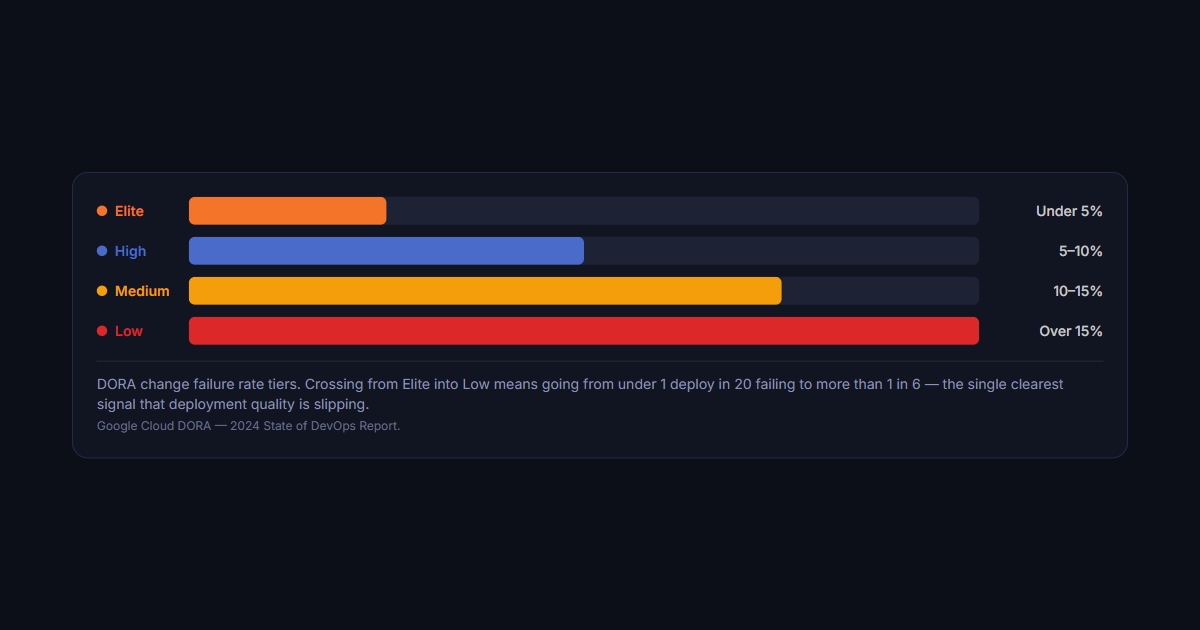
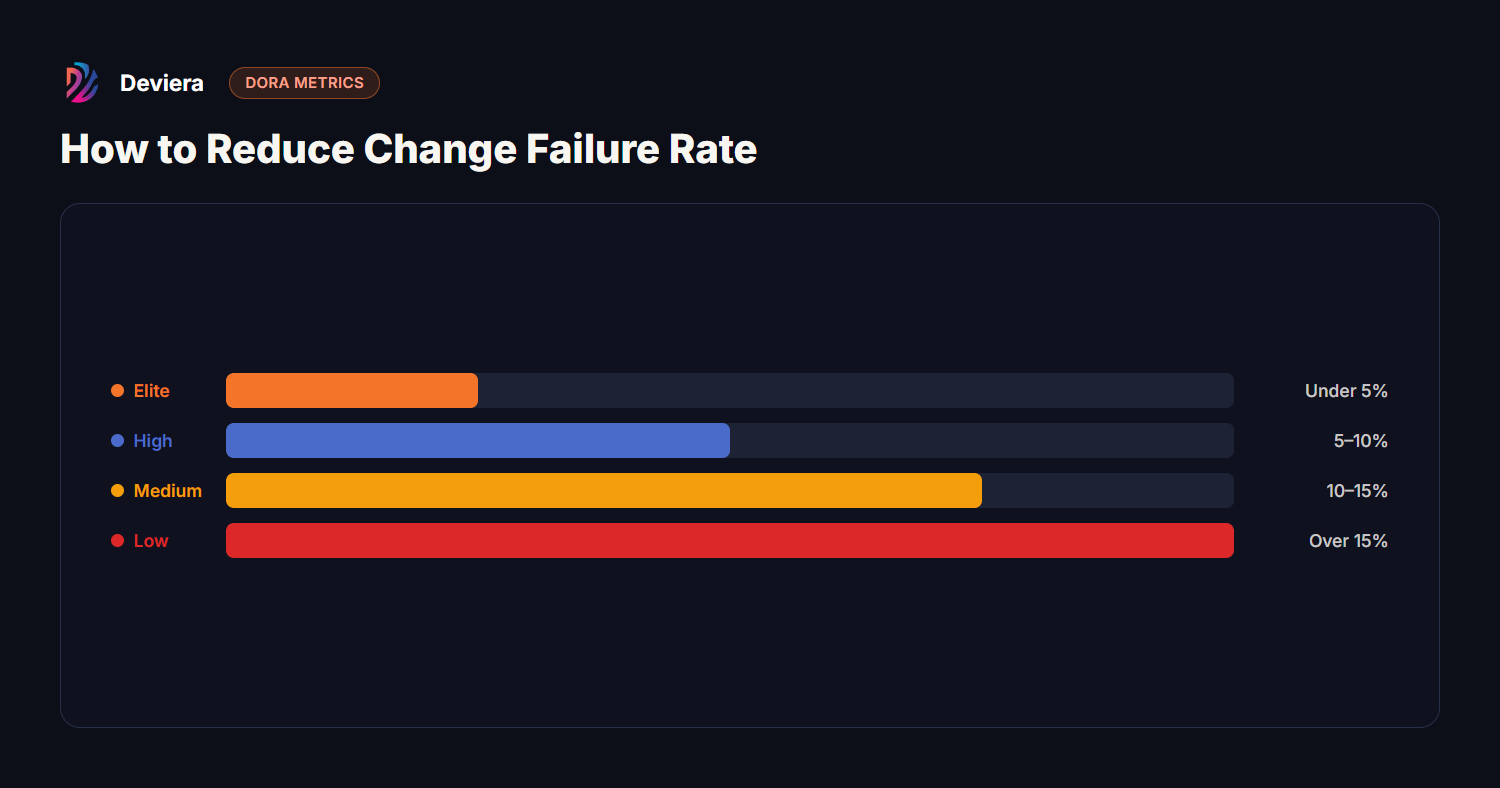
DORA change failure rate tiers. Crossing from Elite into Low means going from under 1 deploy in 20 failing to more than 1 in 6 — the single clearest signal that deployment quality is slipping.Google Cloud DORA — 2024 State of DevOps Report.
Most teams landing in the Medium or Low tier are surprised to discover their actual CFR — because they're not measuring it. Incident tracking lives in PagerDuty, deployment data lives in CI/CD logs, and no one has joined the two datasets.
5 practices that reduce change failure rate
1. Reduce deployment batch size
The single most reliable predictor of CFR is deployment size. Large batches (100+ changed files, 20+ commits) have far higher failure rates than small deployments. This isn't because large changes are inherently riskier — it's because large batches are harder to test, harder to review, and harder to roll back when something goes wrong.
The fix: trunk-based development with feature flags. Merge small PRs frequently. Use flags to gate unfinished features from users without delaying deployments. Batch size drops, CFR follows.
2. Invest in automated testing coverage
Teams with Elite CFR rates consistently have higher automated test coverage — especially integration and end-to-end tests covering the critical user paths. Unit tests alone don't prevent production failures; they prevent code-level regressions but miss infrastructure, configuration, and integration issues.
Practical target: 80%+ unit coverage on business logic, with at least one integration test per critical user flow (checkout, auth, data write paths). Use CI gates to block merges when coverage drops.
3. Add deployment health checks and automatic rollbacks
Many CFR failures aren't discovered during deployment — they're discovered 30 minutes later when customers start complaining. Deployment health checks close that window. Configure your deployment pipeline to:
Run smoke tests immediately post-deploy against the production environment
Trigger automatic rollback if error rate spikes above baseline
Vercel and modern deployment platforms make this straightforward. The key is instrumenting what "healthy" looks like before the deploy, not just checking that the build succeeded.
4. Improve code review quality, not just coverage
CFR often climbs when code review becomes a formality — approvals happen without meaningful review because reviewers are overloaded. Two practices reverse this:
Limit WIP in review: Cap the number of PRs a single reviewer is responsible for at any given time. Overloaded reviewers approve without reading.
Require domain ownership review: Changes to authentication, payments, or data migrations should require review from the team member who owns that domain — not just any available reviewer.
5. Track and eliminate flaky tests from CI
Flaky tests kill CFR in a counterintuitive way: teams that tolerate flaky tests start ignoring CI failures. When CI failures are noise, real failures get missed. A 5% flaky test rate means every 20th CI run fails randomly — and engineers learn to "retry and merge." That habit is how real breakage reaches production.
Deviera's CI Intelligence detects flaky tests automatically by analyzing pass/fail patterns across your CI history — flagging tests that alternate results without code changes.
How to measure your current change failure rate
You need two data sources:
Deployment log: When did each deployment happen? (GitHub Actions, Vercel, CircleCI, or your CD pipeline)
Failure log: Which deployments were followed by a rollback, hotfix, or incident? (PagerDuty, incident tracker, or a hotfix tag in your Git history)
Join them by deployment timestamp. Deployments where a hotfix or rollback occurred within 24–48 hours = failed deployments. Divide by total deployments for your CFR. An engineering intelligence platform does this join for you continuously, so CFR is tracked rather than reconstructed each quarter.
The fastest way to check where you stand: enter your current numbers into the free
DORA Calculator
and see your tier in seconds.
Frequently asked questions
How do you reduce deployment failure rates?
Five practices reliably lower change failure rate: (1) reduce deployment batch size — large batches are the single most reliable predictor of failure, so merge small PRs frequently and use feature flags via trunk-based development; (2) invest in automated testing coverage, especially integration and end-to-end tests on critical paths, with CI gates that block merges when coverage drops; (3) add deployment health checks and automatic rollbacks — smoke tests and metric monitoring for ~10 minutes post-deploy that roll back on an error spike; (4) improve code review quality, not just coverage — cap reviewer WIP and require domain-owner review for auth, payments, and data migrations; and (5) track and eliminate flaky tests so teams stop ignoring CI failures and merging on red.
What counts as a 'failure' for change failure rate?
Any deployment that required remediation within the measurement window (usually 24–48 hours): a rollback, an emergency hotfix, a patch pushed to fix a regression introduced by the deployment. Customer-facing outages caused by a deployment always count. Feature bugs that don't cause outages are typically not counted — the DORA definition focuses on service degradation requiring remediation, not all defects.
Is 5% CFR realistic for a small team?
Yes. Elite CFR has no correlation with team size in the DORA data. Small teams can achieve sub-5% CFR by deploying frequently in small batches with good automated test coverage. Large teams can have 20%+ CFR if they deploy infrequently in large batches without health checks. CFR is a function of deployment practices, not headcount.
How is change failure rate different from error rate?
Error rate measures how often your application throws errors in production — it's an operational metric. Change failure rate measures how often your deployment process itself introduces a failure. You can have a low error rate and a high CFR (you deploy safely but then hotfix frequently). You can have a high error rate and a low CFR (your application has bugs, but they were there before the deployment). CFR isolates deployment quality specifically.